.png?width=2000&height=2000&name=Amplify_new@2x%20(1).png)
Applying for campaigns on the One Impression Creator App is simple and quick. Follow the steps below to get started:
Step-by-Step Guide to Apply for a Campaign
-
Update Your Profile Details
Make sure your profile information is complete and up to date. Once updated, the list of campaigns available for you will become visible. -
Navigate to the Amplify Section
Open the app and head to the Amplify tab. This is where all available campaigns are listed. -
Browse and View Campaign Details
Scroll through the open campaigns and select one that interests you. Tap on “View Details” to see full information about the campaign.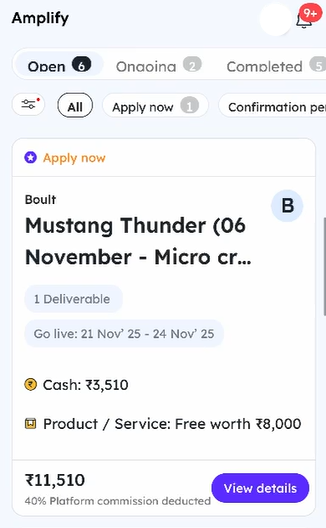
-
Review Requirements Carefully
Go through the campaign requirements, deliverables, and guidelines thoroughly. Once you’re sure you can meet the expectations, tap “Apply Now.” -
Submit a Strong Pitch
You will be asked to share a pitch. This is your chance to stand out—write a clear, confident, and compelling pitch explaining why you’re a great fit for the campaign. -
Confirm Your Application
After entering your pitch, click “Confirmed.”
🎉 That’s it! You have applied for the campaign.
What Happens Next?
After you apply, the brand will review your profile and pitch within 72 hours.
They will either confirm or reject your application based on their campaign needs.