.png?width=2000&height=2000&name=Amplify_new@2x%20(1).png)
Follow these quick steps to verify your KYC on Amplify by One Impression:
-
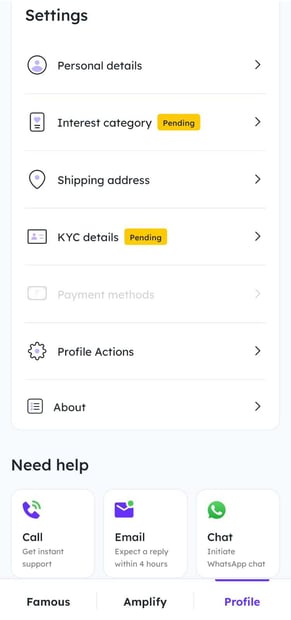
Go to the “Profile” section in the One Impression Creator App 👤
-
Tap on “KYC Details.” 📝
-
Click “KYC Details,” enter your PAN number, and hit Verify 🔍

-
Your name will auto-populate as per your PAN card. ✔️
-
Choose whether you are registered under MSME:
-
If Yes, upload your MSME certificate 📄
-
If No, simply select “No.”
-
-
Enter your address and click Submit 🏠
-
A new window will appear—add your bank account number and IFSC and tap Submit
If all information is correct, your KYC will be verified automatically. 🎉✨