.png?width=2000&height=2000&name=Amplify_new@2x%20(1).png)
Connecting your Instagram account to the One Impression Creator App is quick and easy! Follow the steps below to get started:
-
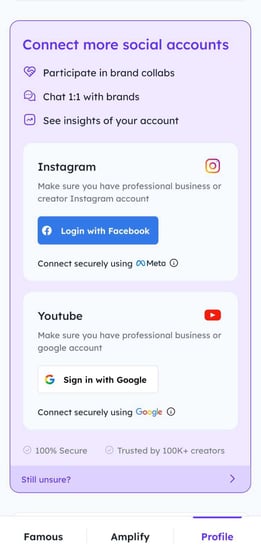
Go to the "Profile" section in the One Impression Creator App 👤
-
Tap "Connect with Facebook." 🔗
-
Enter your Instagram ID and password, then click "Login" 🔐
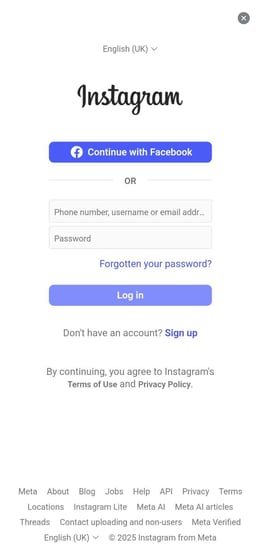
🎉 That’s it! Your Instagram account will now be successfully connected to the app.
Note: Make sure your Instagram account is set to Professional Mode (Creator or Business) before connecting ⚙️