.png?width=2000&height=2000&name=Amplify_new@2x%20(1).png)
1️⃣ Log in
Open the One Impression Creator App and login using your phone number. 🔐
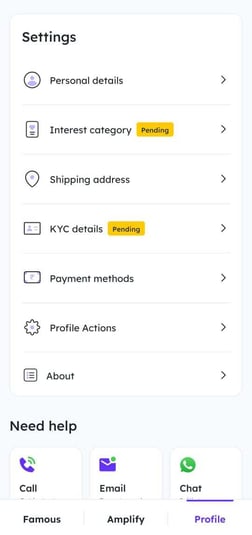
2️⃣ Go to Profile
Tap your Profile → select Personal Details. 👤
3️⃣ Edit Info
Update the fields you want to change. 🪄
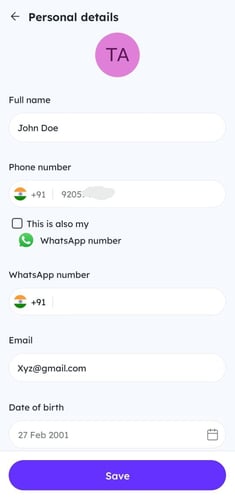
4️⃣ Save
Tap Save to apply changes. 💾✨
Open the One Impression Creator App and login using your phone number. 🔐
Tap your Profile → select Personal Details. 👤
Update the fields you want to change. 🪄
Tap Save to apply changes. 💾✨