.png?width=2000&height=2000&name=Amplify_new@2x%20(1).png)
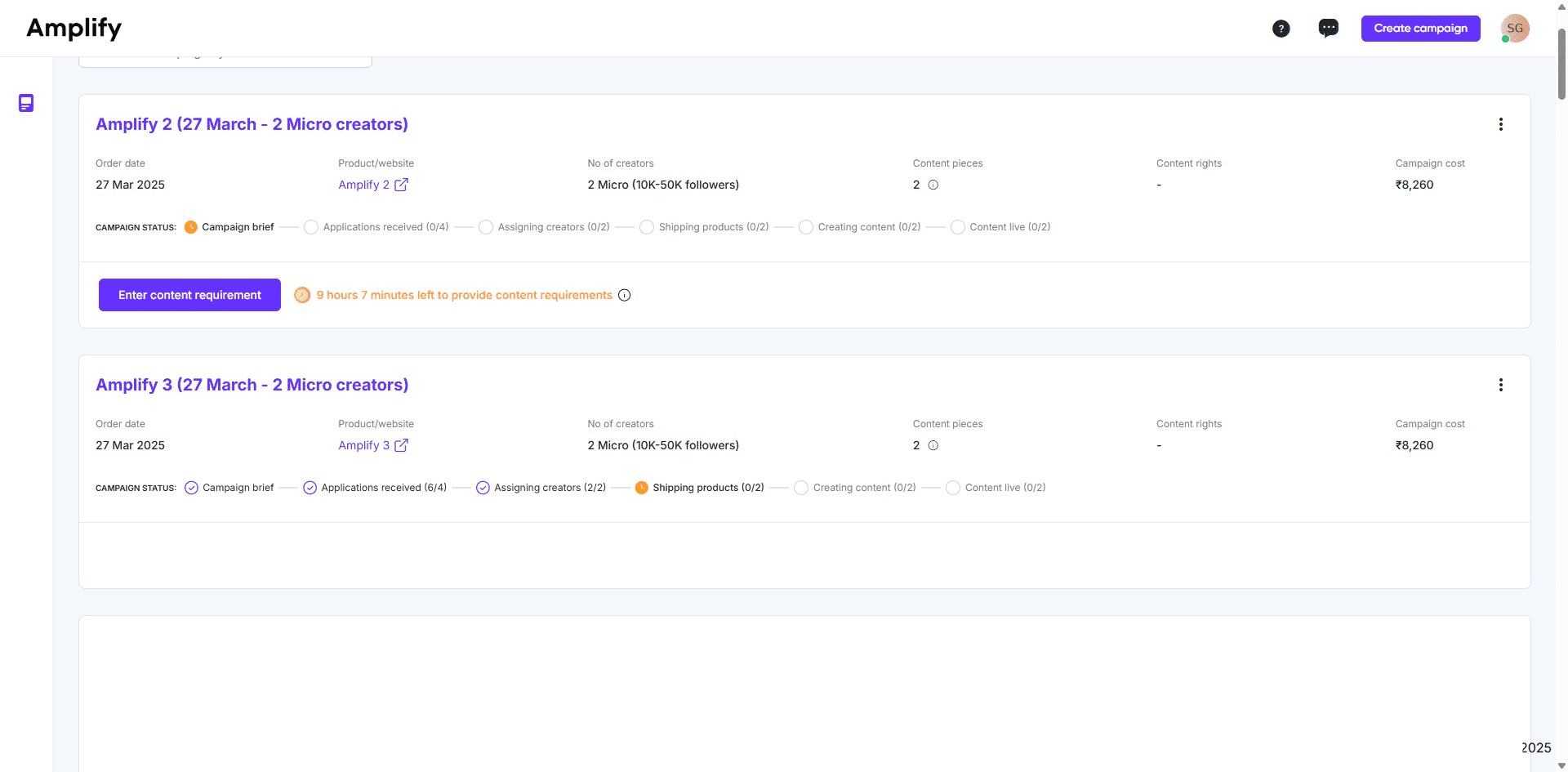
1. Go to the campaign manager and click the campaign.
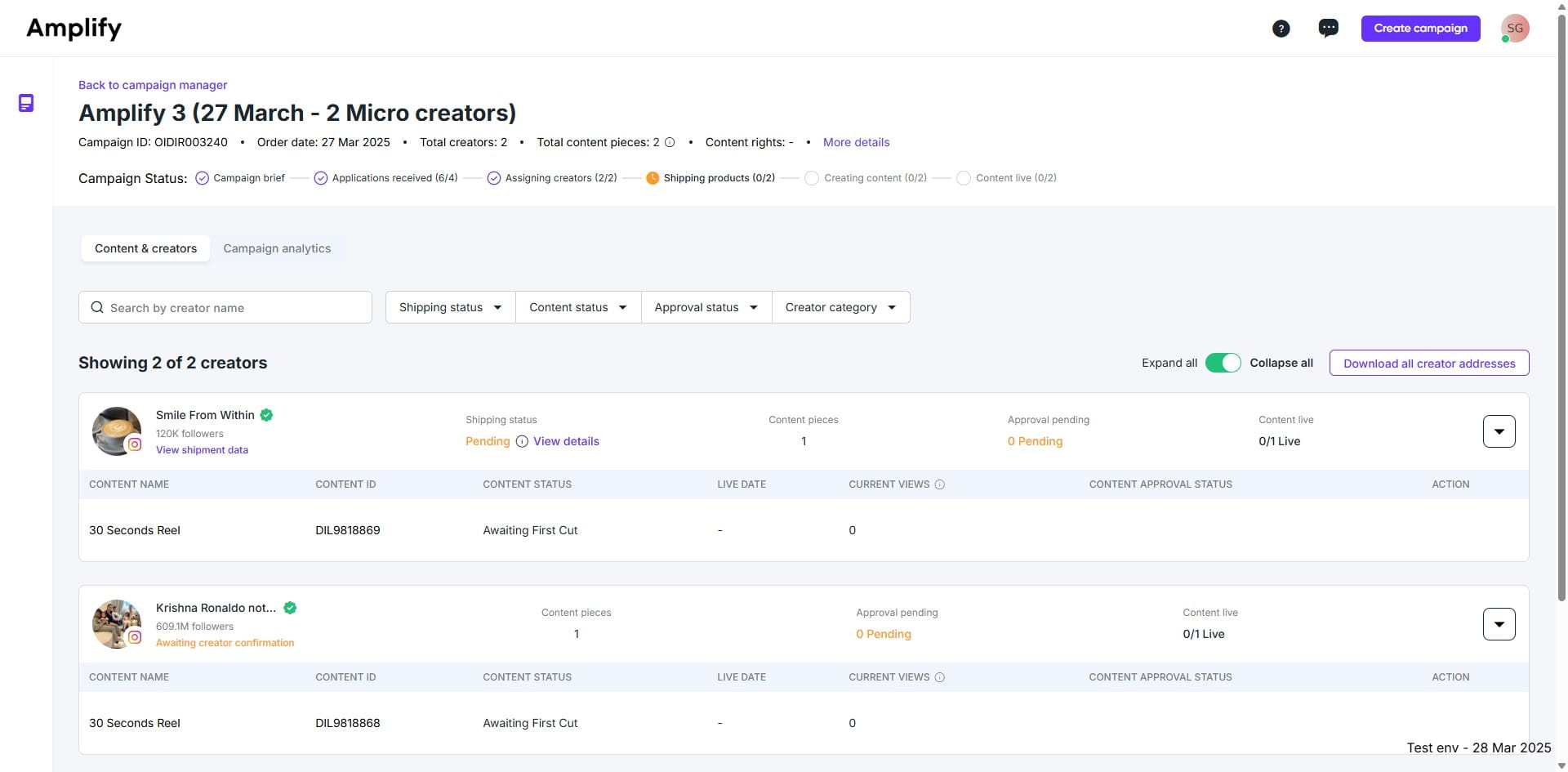
2. Click on "View details"
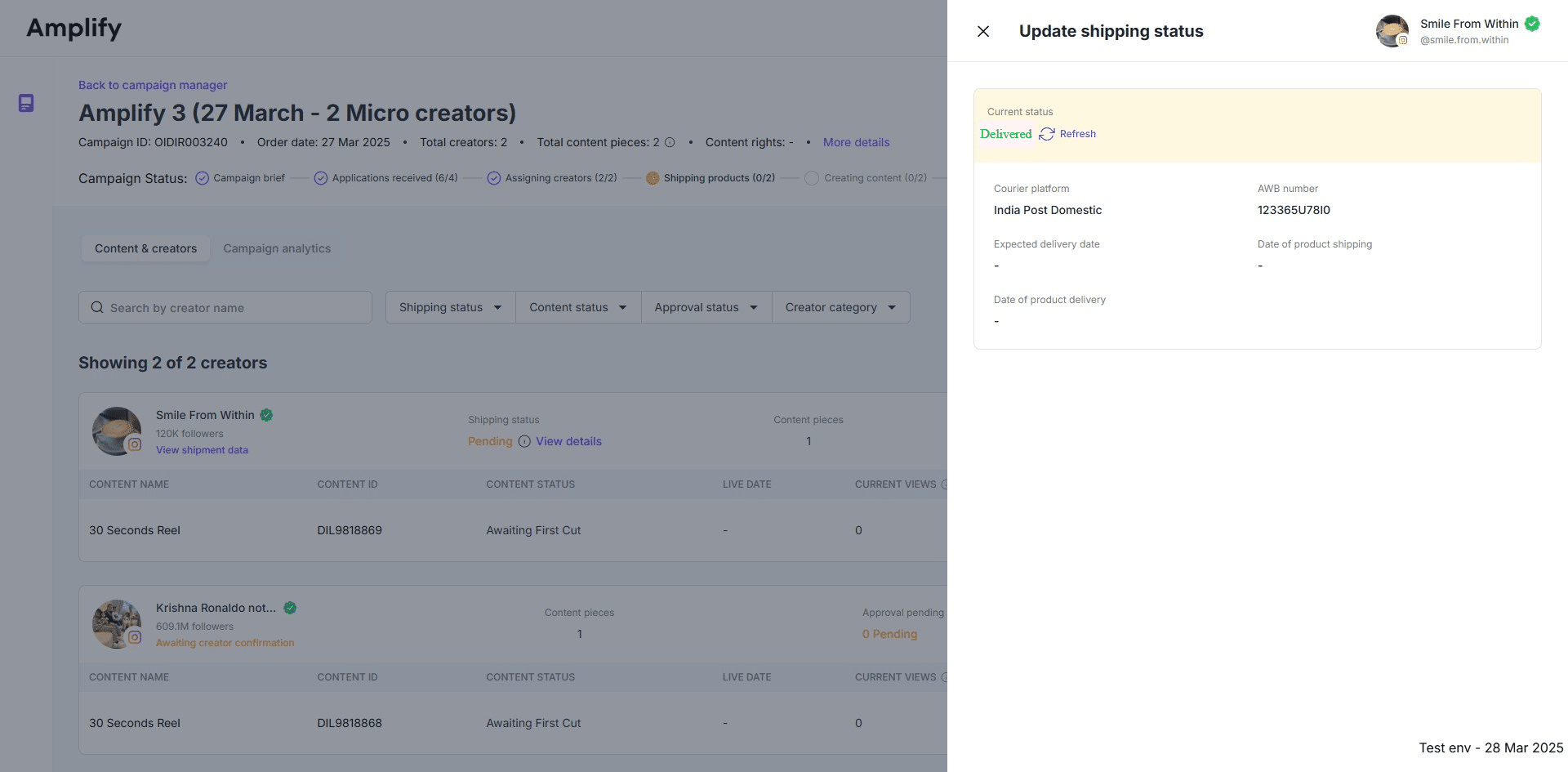
3. Once you click "refresh," the current status will be displayed.
4. The dashboard will display "Delivered" once the product has been delivered to the creator.
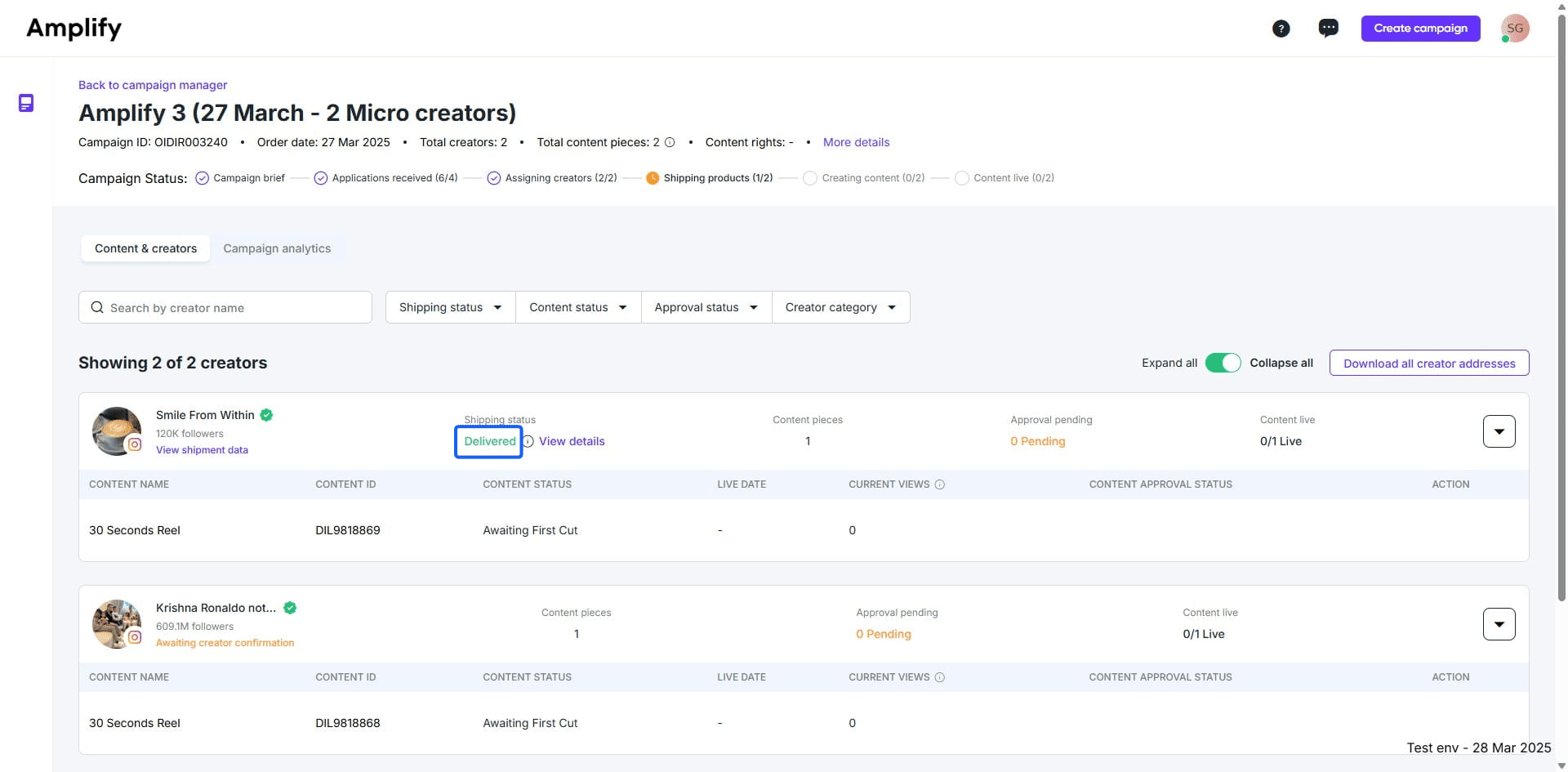
The campaign will be moved to the content creation stage.